





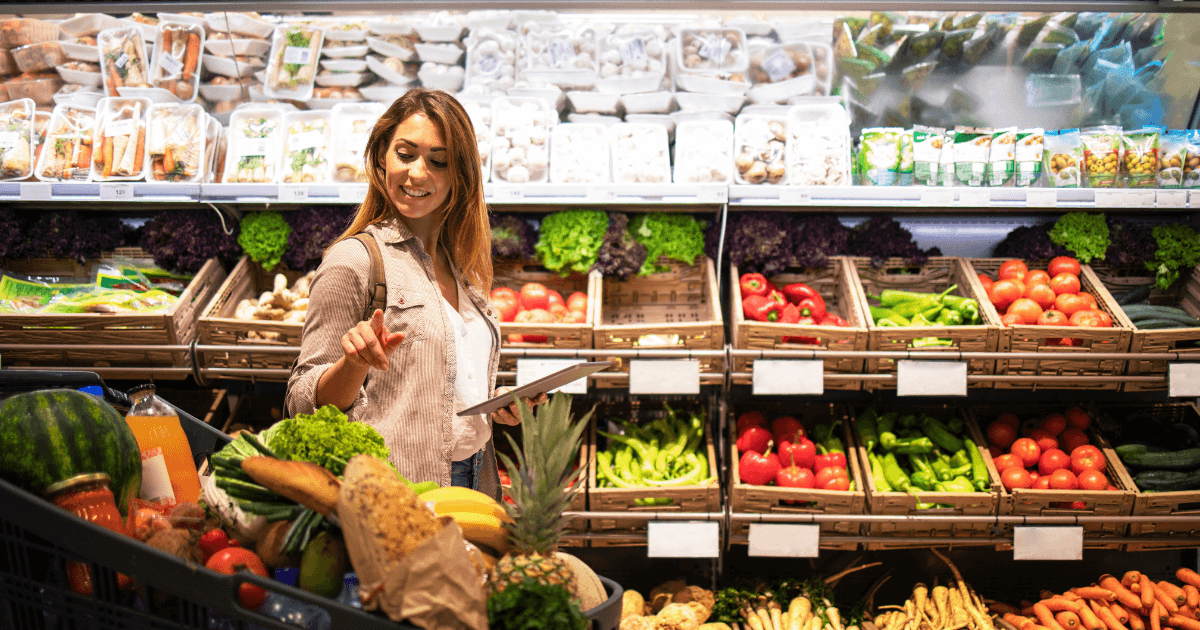


Best Grocery Store Management Software in 2026
Small basket sizes. Low customer retention. Frequent stockout. Profit-killing spoilage.
These are all symptoms of one underlying problem: an inadequate inventory management strategy.
Keeping the perfect amount of inventory on your shelves and in your coolers is one of the most challenging — but most important — parts of running a grocery store. If you understock, you’ll lose sales and customer trust to frequent stockouts. If you overstock, you’ll face cash flow issues and lose money to wilted produce and spoiled milk.
As you add more SKUs and increase your grocery store’s turnover rate, it’s nearly impossible to strike this balance without the right tools.
In this blog, we’ll explore everything you need to manage inventory in your small grocery store like a pro — including tools to look for and the providers who offer them.
Grocery Store Inventory Management Tools 101
Still organizing invoices in a filing cabinet and tracking stock levels in a spreadsheet? This manual approach can take up to 10 hours per week — plus lead to costly errors if you order the wrong products in the right amounts.
That’s why we recommend moving to a tech-forward inventory management approach. Let’s look at the three tools that belong in your grocery store toolbox.
1. POS Software With Inventory Management
Step one is to upgrade your store’s basic cash register to a modern grocery point of sale (POS) solution. This tool includes a suite of built-in inventory management features to help you track stock levels, handle vendors, and simplify the reordering process.
Let’s look at a few must-haves:
- Real-time inventory tracking: Access your inventory data from anywhere, at any time. Since your POS system and inventory management software are one consolidated tool, they communicate constantly. Every time you make a sale, the item is automatically deducted from your inventory records.
- Vendor management: Keep track of your grocery store’s suppliers, their wholesale prices, and their product quality. You can even scan invoices to reduce manual entry when a new shipment arrives.
- Low-stock notifications: Never run out of your customers’ pantry staples. When stock levels drop below a certain threshold, your POS system will send a notification just in time for you to place a new order.
- Integrated purchase orders: Ditch the complicated paperwork and create purchase orders directly in your POS system. This saves time and cuts down on error-prone manual data entry.
- Shrinkage tracking: Stop losing money to empty shelves and spoiled produce. Your POS system should help you spot shrinkage from spoilage, shoplifting, or breakage.
- Reporting and analytics: Make data-driven decisions about which products to stock more of, and which to discount or discontinue. For example, POS reports can help you forecast product demand, adjust to seasonal shopping behavior changes, and make smarter pricing decisions.
Choosing integrated POS and inventory management software means that you’ll only have to learn and use one system for everything in your grocery store — from checking out customers to creating purchase orders.
Related Read: How To Use Your POS To Track Department Profitability (Produce vs. Frozen vs. Deli)
2. Barcode Scanners
Barcode scanners are a grocer’s best friend.
At checkout, they help cashiers ring up customers’ items quickly and accurately — ensuring the inventory is actually deducted from your stock levels. On the sales floor, they help with regular cycle counts and new inventory receiving.
For example, instead of counting all of the boxes of pasta on your shelves by hand, you can scan each box. This makes it quicker and easier to keep correct counts of different SKUs: 24 Barilla bowtie, 12 private-label penne, and so on.
Barcode scanners also help you receive new inventory. Sometimes, suppliers make mistakes — they’ll send the wrong number of units or send the wrong SKUs. Scanning inventory with a handheld barcode scanner that connects to your POS system allows you to compare what you received to what you actually ordered. This helps you spot discrepancies and correct them before they turn into stockouts and spoilage.
Related Read: Mobile Barcode Scanner for Inventory Management: 4 Picks
3. A Deli Scale and Label Printer
Your grocery store’s deli and butcher counters present a different challenge. These departments deal with highly perishable products that are tracked and sold by weight — which means you’ll need a different, tailored approach.
That’s where a deli scale with a printer comes in.
With this tool, you can cut meat on demand for your customers, weigh it, package it, and generate a custom barcode label that includes the item type, exact weight, and price. When it’s time to check out, your cashier simply has to scan the barcode, and your POS will charge the customer the right price and automatically adjust your inventory records to reflect the sale.
To make sure your deli and butcher employees, cashiers, and customers all benefit from a deli scale, choose one that integrates seamlessly with your grocery store’s POS and inventory management system.
Small Grocery Store Inventory Management Tools: 3 Best Providers
We’ve covered the basics — now, let’s talk next steps. Navigating the software world can be intimidating, so we’ve created this list of the best inventory management tools for small grocers. Let’s take a look.
1. Markt POS: Best for Specialty Grocers
Markt POS is a tailored software solution for small grocery stores, butcher shops, seafood markets, and natural food stores. It includes powerful inventory management features for catch-weight items like meat and fish, cloud-based access for remote inventory monitoring, and user-friendly reporting and analytics.
Markt POS integrates with most commercial deli scales and barcode scanners for easy weight-based sales, simple checkouts, and faster inventory counts. Along with all the right inventory tools, Markt POS offers marketing features like a built-in loyalty program and SMS messaging.
Explore our flexible pricing options for local markets.
2. IT Retail: Best for Full-Scale Grocers
IT Retail is a great option for larger stores, international grocers, and small supermarkets. IT Retail includes a full range of inventory management and reporting features designed to save you time and maintain the perfect balance of stock.
IT Retail offers cloud-based access, real-time reporting, deli scale integration, and an unlimited SKU database. It also integrates with popular e-commerce platforms like Instacart for easier online sales and inventory tracking.
Use IT Retail’s Build and Price tool to get a custom quote for your grocery store.
3. Square: Best for Basics
On a tight budget? Don’t need the bells and whistles to manage your small grocery store’s inventory? Square might be a solid option.
Square is a popular POS provider serving retailers in all industries. Square’s biggest strength is the user-friendliness and simplicity of its system. You can easily ring up customers, track inventory levels, and check sales with minimal training and hassle.
Square isn’t specifically designed for grocery stores, but its affordable starter pricing plans make it an attractive option for new, small retailers.
How To Improve Inventory Management for Small Grocery Stores
1. Lean on Your POS System
The first step to successful inventory management for your small grocery store is leveraging a robust point of sale (POS) system.
Almost half of all U.S. small businesses track their inventory manually — if at all — which consumes countless hours and often results in inaccurate records. A POS system can eliminate these time-consuming and error-prone processes.
Relying on a POS system makes your inventory management process far more reliable and efficient by updating your stock counts in real time. When a customer makes a purchase, your POS system will subtract the items they bought from your available inventory and provide an up-to-date overview of what you have in stock.
An added advantage of relying on your POS system for inventory management in your small grocery store is that you can control your inventory from anywhere instead of having to refer to analog records — allowing you to keep a finger on the pulse of your inventory, whether you’re on the sales floor or checking on your business from home.
2. Streamline Your Reordering Process
Ordering the right products at the right time is critical for inventory management in a small grocery store. You need to strike a balance between ordering products before they run out of stock, and not ordering so much that you encounter spoilage or storage issues.
Simplifying your reordering process using the right tools can make effective inventory management a breeze.
Many POS systems feature low stock notifications, which alert you when a product is running low. Upon receiving this notification, you can use your POS system’s integrated purchase orders feature to quickly and easily create a purchase order for the item.
Monitoring your stock levels and creating a purchase order in one simple flow saves you time and ensures that your most popular items are available for your customers.
3. Hone In on Items Sold by Weight
If your grocery store sells items like deli meats, produce, or even trail mixes by weight, accurately tracking inventory can be a challenge.
A sophisticated scale system and POS solution with scale integration are absolute must-haves if bulk sales make up a significant portion of your business. With a scale integration, your employees simply place customers’ items on the scale, then the scale automatically communicates with your POS software to weigh and price the item.
Scale integration prevents pricing errors and ensures accurate inventory levels for items sold by weight, eliminating the need for manual input from your team. Plus, it creates a more convenient experience for your customers by speeding up the checkout process.
4. Leverage Your Sales Reports
One of the most powerful tools for improving inventory management for your small grocery store is the sales data provided by your POS system.
Your sales reports provide valuable insights about bestselling products, slow-moving items, and customers’ shopping trends and habits. For example, you might find that customers purchase different items in the warmer months versus cooler times of the year, or you might see that your sales spike and dip at different points during the month.
These reports can help you optimize your inventory levels, ensuring you stock more of what sells and less of what doesn't — leading to higher sales, less waste, and improved profitability.
Master Inventory Management in Your Small Grocery Store With Markt POS
When it comes to managing your grocery store’s inventory, you can’t go wrong with Markt POS. Our software is specifically designed for independent grocers like you. Along with all the features you need to stop stockout and minimize spoilage, it includes 24/7 support to help you get the most out of your new POS system.
See Markt POS’ inventory management, marketing, and reporting features in action by scheduling your live, personalized demo today!


Luke has been in the grocery industry for 15 years. Starting out as a POS technician, he worked his way up to VP. Luke has seen, adopted, and even contributed to significant technological advancements, such as moving from server-based systems to cloud solutions with Markt POS and the AI revolution transforming store operations. Luke is our resident expert for all things grocery store and point of sale technology. “Store owners spend too much time on paperwork instead of building their business. After helping my best friend's father run his grocery store, I made it my mission to give hardworking store owners better tools to succeed.”