





![How To Reduce Shrink In a Meat Department [Tips for Meat Markets + Grocers]](https://www.marktpos.com/hubfs/_Blog/Blog%20Images/Markt%20POS%20Blog%20Body%20Images/Meat%20Package%20Labeling.webp)


How To Calculate Price by Weight [Tips + Tools for Meat Markets and Grocers]
Meat departments have the highest rate of shrinkage among all grocery store departments, contributing to a whopping 18% of total losses.
On average, this costs the average market over $93,000 in profits annually.
But these numbers don’t have to be your reality. Fortunately, there are a few simple ways you can slash your shrink and buoy your profits by taking control of your inventory metrics, adopting proper handling techniques, and equipping your team with the right tools.
In this blog, we’ll cover the top causes of shrinkage, then explain exactly how to reduce shrink in a meat department in six straightforward steps.
4 Top Causes of Meat Department Shrinkage
To stop the bleeding, you need to find the source. In other words, you have to understand what causes meat department shrinkage before you can implement loss-prevention strategies.
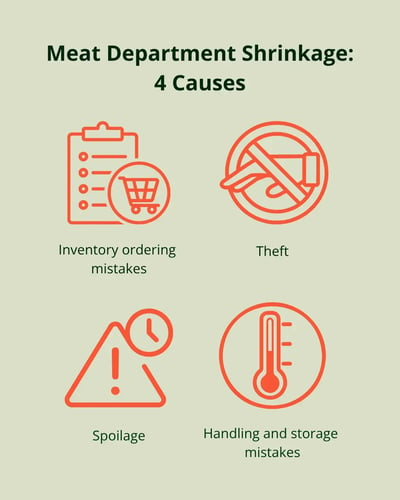
Let’s look at the four main culprits behind dwindling meat department profits:
- Inventory ordering mistakes: You aren’t controlling what goes into your meat display cases. For example, you might order too many pork chops when customers prefer pork loin — eventually leading to hundreds of dollars of chops thrown in the trash.
- Handling and storage mistakes: Fresh cuts of meat spoil at the back of your display cases, are left out for too long in your receiving area, or get too warm in unreliable coolers.
- Theft: Customers switch stickers on a flat iron and filet mignon, walking out the door with a much more expensive steak than they paid for. While shoplifting meat might sound unlikely, meat and seafood departments are actually a theft hotspot.
- Spoilage: Unfortunately, some spoilage is hard to avoid. When customers don’t buy a chicken breast before it reaches its best-by date, it turns into a loss for your market.
Now that you know what you’re up against, we can dive into how to reduce shrink in your meat department.
1. Know What’s in Your Meat Cases
The very first step to reducing meat department shrink is to get a handle on your existing inventory. If you don’t know how many pounds of ground turkey or how many T-bone steaks are in your coolers, it’s impossible to make a plan.
Some old-school meat departments still rely on paper logs or spreadsheets to track meat department inventory, but these take up valuable time and lead to costly errors. That’s why we recommend investing in a grocery store point of sale (POS) system with real-time inventory tracking instead.
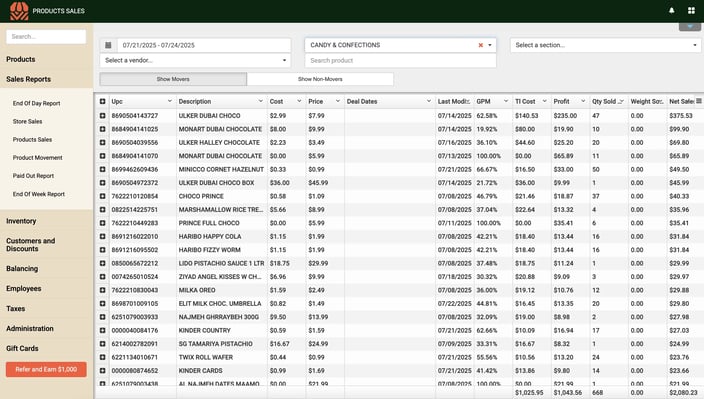
This tool monitors incoming and outgoing stock, giving you an up-to-date overview of exactly what’s on hand. Grocery-specific solutions even include sell-by and batch tracking, helping you take action before meat spoils.
Real-time, accurate inventory data lays the foundation for higher meat department profits, so don’t skip this step.
Related Read: Best Butcher Shop POS Systems: Features & Top Picks
2. Label Cuts Properly
Missing or unclear labels can confuse your customers and employees. In fact, concerns over meat labels contribute to nearly 40% of surplus and wasted food, costing grocers upwards of $10 billion a year.
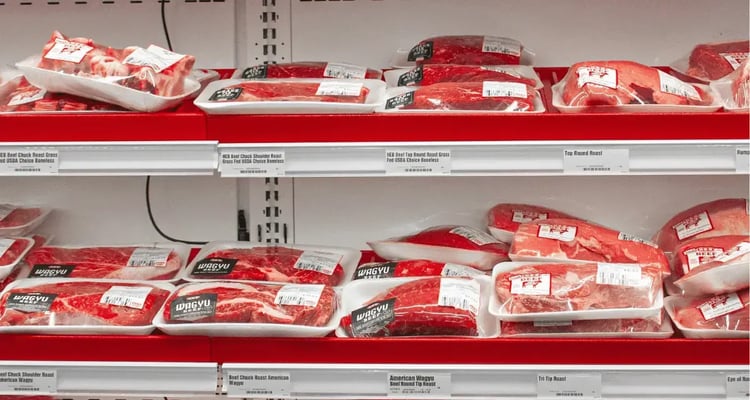
Proper labeling is critical to:
- Prevent customer confusion. Vague or inconsistent labels lead to mix-ups at the case and the register. When a customer can't tell a sirloin from a flank steak, they're more likely to grab the wrong item and leave it at the register — leading to more work and more spoilage.
- Enable FIFO. Every label should include a pack date and sell-by date, not just a price. With that information clearly visible, your team can consistently rotate stock using first in, first out (FIFO), so older cuts get sold before newer ones take their place at the front of the case.
- Spot near-expiry cuts. Well-labeled inventory makes it easy to scan your case and immediately spot which items are approaching their sell-by date. This means your team can act before a product becomes a total loss, instead of finding out too late.
A grocery POS system with built-in barcode label printing makes it simple to create easy-to-read labels that include all the essential information.
Pro tip: Keep near-expiry cuts out of the trash by turning them into manager’s specials. Simply mark down the price and print a new, colorful label to alert customers to the deal. This turns a potential loss into a sale, moves inventory before it spoils, and rewards price-conscious customers.
3. Ensure Safe Meat Handling and Storage
In a meat department, small mistakes can lead to big losses. That’s why it’s critical to equip your staff with the training and tools they need to extend the shelf life of your meat inventory and prevent early spoilage.
Let’s look at some fundamentals for meat handling and storage:
- Check temperatures on incoming deliveries and reject any product that arrives outside safe ranges.
- Minimize the time meat spends at room temperature during receiving, prep, and restocking.
- Use proper rotation techniques when restocking display cases, always moving older product to the front.
- Follow sanitation protocols for cutting boards, tools, and surfaces to prevent contamination that can shorten shelf life.
- Install digital temperature monitoring systems that track your cases continuously and send alerts the moment something drifts out of range.
- Consider investing in advanced packaging technologies like vacuum sealing or modified atmosphere packaging.
These strategies protect your customers’ health, your market’s reputation, and your bottom line.
Related Read: Butcher Shop Food Safety: 4 Must-Follow Practices
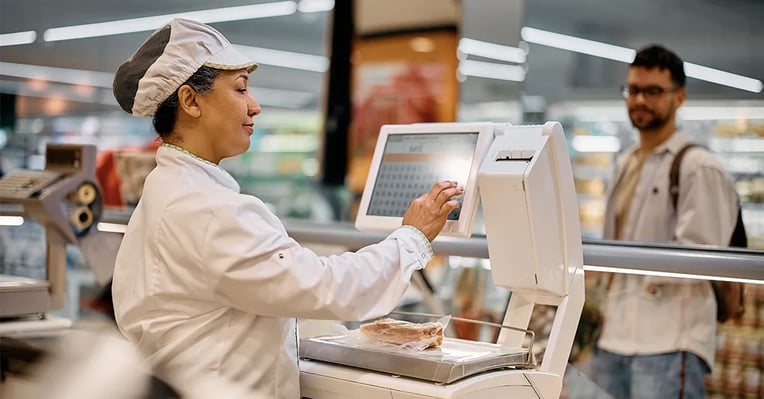
4. Sell by Weight
Want to protect your meat department margins even further? You need the best strategies and tools for selling by weight.
Selling by weight allows you to:
- Capture the exact value of every cut, instead of underselling heavier pieces or overselling lighter ones with a flat price.
- Calculate pricing automatically at the deli scale, reducing manual pricing errors that eat into your margins.
- Get more accurate sales data, since your reports reflect actual pounds sold rather than estimated units.
But keep in mind that many generic retail POS systems don’t support selling by weight without expensive or clunky add-ons — you may need to upgrade to grocery store or butcher shop-specific software that integrates directly with deli scales.
5. Implement Theft Prevention Strategies
Tired of ribeyes disappearing from your coolers? You need a specific strategy to prevent shoplifting in your meat department. Here are a few top tips:
- Install security cameras in your meat department to spot shoplifting and sticker switching.
- Train your cashiers to identify common shoplifting behavior patterns and offer customer service to suspected thieves.
- Invest in Electronic Article Surveillance (EAS) labels to your highest-value cuts, like steaks and roasts.
- Monitor POS data for red flags, such as an unusual number of voids, refunds, or price overrides tied to meat department items.
Some theft is unavoidable — but the presence of well-trained staff and security cameras can deter criminal activity.
6. Forecast Meat Department Demand Accurately
What’s the number-one way to reduce shrinkage and spoilage in your meat department? Preventing it through accurate demand forecasting.
Without a data-driven meat ordering approach, you’ll continue to face surplus inventory and spoilage — making it difficult to turn a consistent profit.
Instead, use your POS data to predict customer behavior and stock your meat cases with the right cuts in the right amounts. First, analyze sales trends and patterns for each product in your meat department. Do roasts sell out on Sundays but sit untouched during the week? Are lean meats like ground turkey and chicken breast more popular around New Year’s?
From there, generate sales forecasts based on historical data to prevent stockouts and overstock. Your POS system should do the math for you, making it easy to adjust your purchase orders.
Finally, monitor actual sales against forecasts and adjust your ordering approach as needed. Remember: Customer behavior can change quickly, so check your category and individual category reports weekly and monthly.
Reduce Shrink in Your Meat Department the Easy Way
The most powerful weapon in your arsenal against meat department shrink is the right POS system.
Markt POS is specifically designed for local grocery stores, meat markets, and butcher shops. Our software includes seamless deli scale integration, barcode label printing, advanced sales reporting and analytics, and shrinkage tracking to help you take control of your inventory and boost profits.
See these features in action by scheduling a demo today.


Luke has been in the grocery industry for 15 years. Starting out as a POS technician, he worked his way up to VP. Luke has seen, adopted, and even contributed to significant technological advancements, such as moving from server-based systems to cloud solutions with Markt POS and the AI revolution transforming store operations. Luke is our resident expert for all things grocery store and point of sale technology. “Store owners spend too much time on paperwork instead of building their business. After helping my best friend's father run his grocery store, I made it my mission to give hardworking store owners better tools to succeed.”