







Are Butcher Shops Profitable? [Answer + 10 Sales-Boosting Tips]
There’s nothing worse than a bottleneck at your grocery store checkout line. From frustrated customers to frazzled employees, no one’s happy, and some customers may even abandon their carts and never return.
To speed up your grocery store checkout line, you need the right tools — and that includes a modern point of sale (POS) system that doesn’t lag, helps cashiers lookup items quickly, and lets customers pay how they want..
The ideal checkout setup looks like this:
- The technology is reliable
- Cashiers are confident ringing up items and applying discounts.
- Customers don’t get frustrated.
As many of us in grocery know, this can be easier said than done. Here are our top tips and tools for keeping your checkout lines moving fast.
1. Create Barcodes for Custom and Local Items
Many cashiers know the pain of memorizing dozens of PLU codes just to get moderately fast at checkout. But in an industry with seasonal staffing swings and high turnover, counting on memorization isn’t ideal.
Not to mention, if you carry a lot of products from local suppliers, homemade items, or deli items with handwritten notes, your checkout will likely slow down as you look up and price each one.
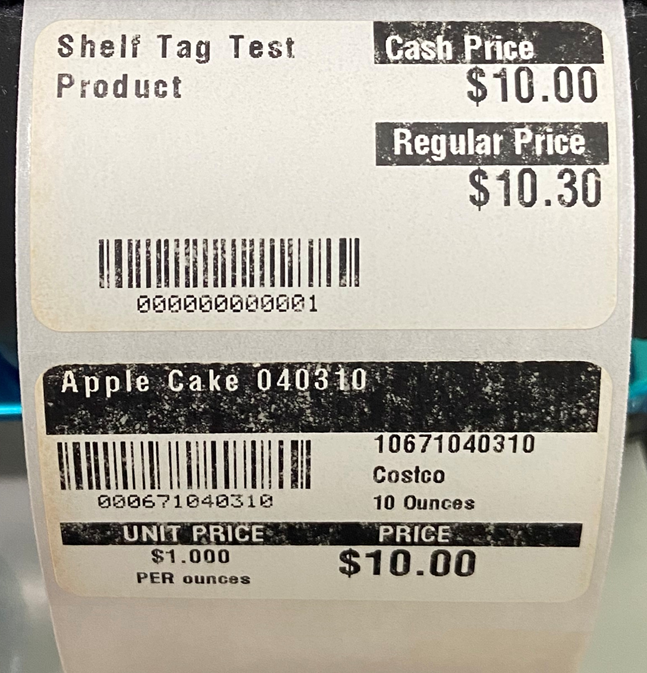
The solution? Assign a unique barcode in your inventory management system to as many items as possible. You can then print labels that allow you to scan these items at checkout as if they were a standard UPC — even if they’re sold by weight.
Some POS systems also include missed scan reports to flag any items that didn’t scan correctly at checkout, so they can be added to the system at the end of the day.
2. Set Up Touchscreen Shortcuts and Product Pictures
It’s not practical to print a barcode for every single item you sell, especially high-velocity items like produce. In this case, customizing your POS touchscreen is the best way to keep things moving.
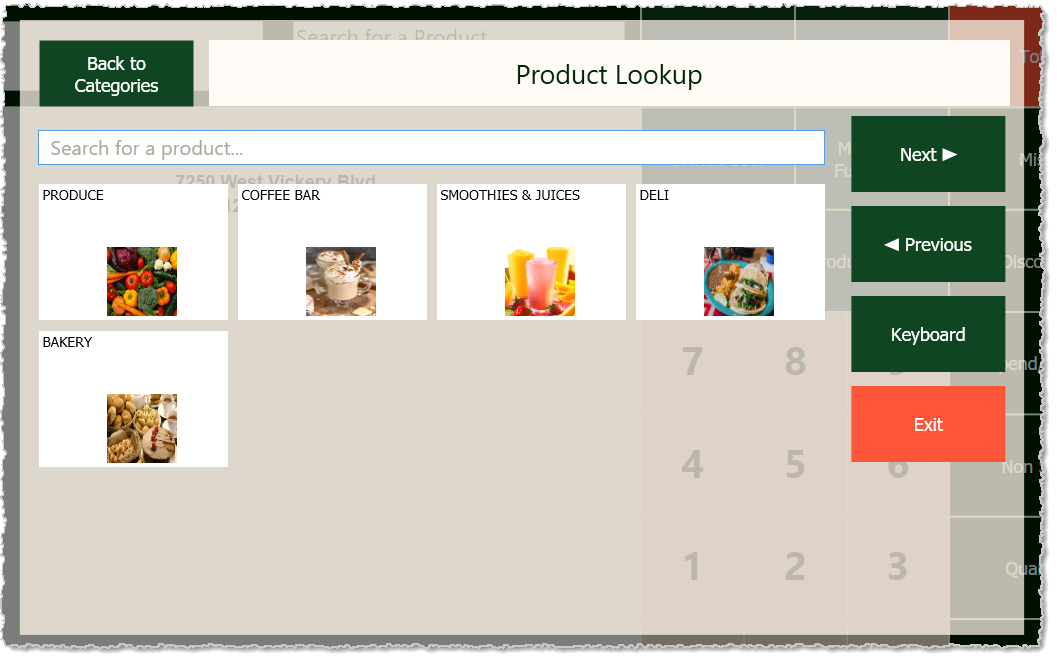
An example of custom product categories in the Markt POS front end.
Beyond buttons for PLU code search, you can customize your front end to include common product categories and product pictures for quick lookup. Many POS systems, including Markt POS, can add pictures from a catalog, so you don’t need to take pictures of each item (However, it’s still a good idea to use your own pictures if it’s something made in house.)
Check in with your cashiers periodically to see if there are any items that routinely trip them up, so you can add them to the quick lookup menus.
3. Use Integrated, Flexible Payments
Many independent supermarkets still run on an old register with a separate payment terminal for card payments. Not only does this make checkout slower, it means you have to reconcile your sales and inventory data at the end of every day.
Instead of ringing up items then passing it to another system for payment, use a payment processor that fully integrates with your POS system for a significantly faster checkout process.
Use a payment system that lets customers pay their preferred way, including:
- EBT Cash and EBT Food
- Debit and cash
- Credit card (including chip-and-pin and tap-to-pay)
- Digital wallets (e.g., Apple Pay, Google Pay)
Last, you want a system that allows you to keep processing payments if your WiFi or terminal is down.
4. Adjust Staffing Levels Based on Peak Hours
A short staffed checkout can quickly lead to long lines, especially when your other employees are stocking or have tasks to do elsewhere.
This is a problem that’s hard to fix once it’s happening. Your best bet is to be proactive. Instead of trusting your instincts alone, look at your sales data to see when your typical peak hours fall. Compare week-over-week and month-over-month to find common patterns. Keep an eye out for holiday and seasonal swings, too.
Many store owners find that some of their busiest times aren’t when they’d expect —it’s not always just after school and weekends. Of course, looking at sales data for staffing isn’t an exact science, but it’s a good starting point if you find yourself frequently understaffed.
5. Have a Clear Workflow for Online Ordering and Curbside Pickup
In today’s digital age, offering online ordering and curbside pickup can eliminate in-store checkout lines altogether. When fewer people are in the store, fewer people are in your grocery store checkout line.
But if you don’t have a clear process for fulfilling online orders, it can have the opposite effect (and lead to some annoyed customers).
To keep your online orders moving:
- Have dedicated employees who handle online orders.
- If you can’t afford dedicated employees, limit the types of items sold online.
- Partner with third-party services like InstaCart that have their own pickers.
- Set up climate-controlled storage for pickups so orders can be picked and stored safely in advance.
- Create a reminder system so buy online, pickup in store (BOPIS) orders aren’t left to the last minute.
While many customers love to shop online, it’s simply not feasible for a neighborhood grocery store to offer the same level of service as Walmart or Target. Develop solid processes first and scale your online offerings gradually.
Related Read: 7 Online Grocery Delivery Challenges (and How To Overcome Them)
6. Train Your Staff on Your POS System
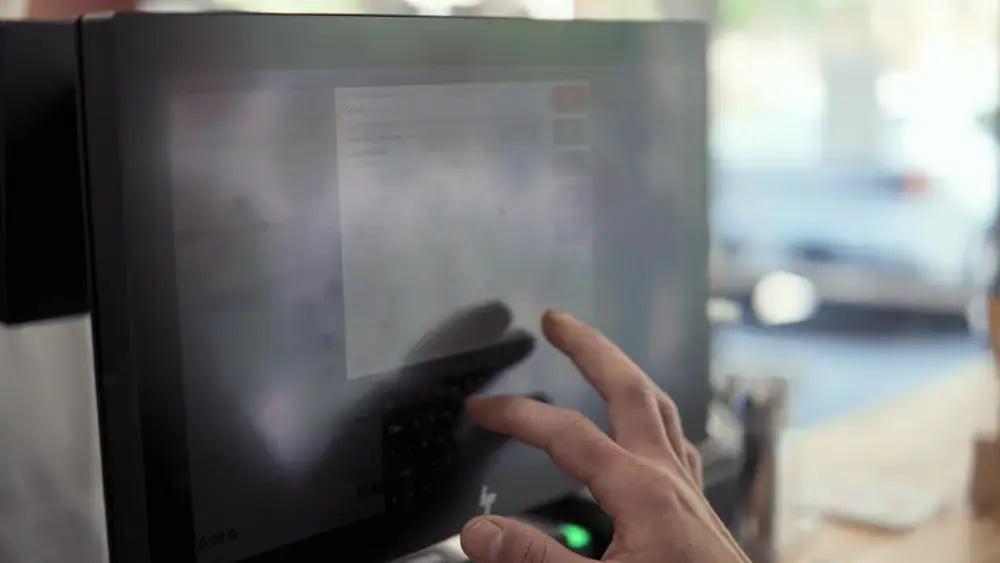
The right technology goes a long way toward improving checkout times, but only if your staff feels confident using it.
Take extra time to train your staff on your POS system, so they can easily:
- Ring up and look up common items.
- Weigh and price produce.
- Check and/or scan ID for age-restricted items.
- Enter customer loyalty information.
- Apply discounts or promo codes.
Many POS systems include a training mode that lets you run scenarios in a safe environment without needing to void transactions. Encourage staff members to use the training mode and ask questions.
The more comfortable your cashiers are on your POS system, the faster your lines will move.
Related read: Why You Should Prioritize POS System Training in Your Grocery Store
7. Keep Pricing and Shelf Labels Accurate
Tell us if you’ve heard this one before: A customer goes to checkout, starts scanning items, then suddenly stops, confused. They call over a staff member and complain about a sale item not ringing up correctly. Now, your staff has to run across the store to see what the shelf sign says, manually override prices, or tell a disappointed customer that the sale sticker is inaccurate.
Avoid these types of interactions by regularly updating shelf labels and ensuring your discounts and promotions are set up correctly on your grocery POS backend.
Every day or two, do a quick scan of the aisles to make sure any advertised promotional pricing is accurate. Then, run a test transaction on your POS to make sure that discount applies correctly at checkout.
8. Upgrade Your Scanners and Scanner Scales
Even a perfectly trained employee and the right POS software won’t help you if the hardware it’s attached to is laggy or missing scans. Many POS providers sell hardware at a discount for customers, and if your POS software is flexible, you’ll have a choice between multiple brands.
Scanner scales are by far the most expensive to replace, but a fully-integrated deli scale can be a suitable (if less efficient) stand-in while you save for a new scanner scale.
9. Consider Self Checkout
Self checkout machines are another fix for long lines, but they aren’t a good fit for every type of store. Stores need to have the space for a self checkout area, and staff nearby to assist with any issues.
That said, while many big chain stores are scaling back on self checkout, the opposite is true for a lot of independent grocers.
Self-checkout can be faster, but we recommend limiting the types or number of items that can be scanned so cashiers aren’t constantly called over to assist.
Markt POS offers touchscreens that work as standard checkout or self-checkout, so you can try it at your store without investing in brand new hardware.
Speed Up Grocery Store Checkout Lines With Markt POS
Speeding up your grocery store checkout is essential to creating the kind of shopping experience customers will want to come back to. Having the right POS system is the first step.
Markt POS is built specifically for independent grocery stores and supermarkets. It supports fast scanning, touchscreen customization, custom barcodes, and fully-integrated payments to ensure your lines always move fast.
Schedule a demo today to see how Markt POS helps keep customers happy and lines short.


Luke has been in the grocery industry for 15 years. Starting out as a POS technician, he worked his way up to VP. Luke has seen, adopted, and even contributed to significant technological advancements, such as moving from server-based systems to cloud solutions with Markt POS and the AI revolution transforming store operations. Luke is our resident expert for all things grocery store and point of sale technology. “Store owners spend too much time on paperwork instead of building their business. After helping my best friend's father run his grocery store, I made it my mission to give hardworking store owners better tools to succeed.”