Pricing

Markt POS vs. Clover:
How do they stack up for independent grocery stores?

If you're shopping for a market-specific POS system, you've probably come across Clover and Markt POS.

One is a household name in payments. The other was designed by multi-generational grocers for exactly the kind of store you run.

Here's what you need to know about their features, pricing, and what real market owners experience with both.

Last updated: February 2026

Markt POS vs Clover

At a glance:
Clover vs. Markt POS

Well-known general retail POS by Fiserv

Clover

Clover is backed by Fiserv and recognized across the retail industry for its sleek hardware and flexible app marketplace. It covers restaurants, retail, and services — but it wasn't designed with the specific needs of neighborhood markets in mind. Scale integration, self-checkout, and specialty grocery workflows aren't part of the core experience.

Built for neighborhood markets, by grocers

Markt POS

Markt POS was built for the stores that big-box POS systems tend to overlook — the neighborhood market, the international grocer, the family butcher shop. Scale integration, EBT, custom label printing, and self-checkout come standard. No app marketplace required because the features market owners actually need are baked into the system.

Clover: Pricing

Hardware

Clover requires proprietary hardware — you can't use your own equipment. Devices range from $199 (Clover Go mobile reader) to $3,499 (Clover Kiosk), with the Station Solo at $1,799 and Station Duo at $1,899. Pricing varies by reseller, and leasing options are available but often cost more in the long term. If you switch away from Clover, the hardware stays behind.

Software

Three tiers: Starter (free, but basic features only), Essentials at $29.95/mo with standard retail tools, and Growth at $84.95/mo with reporting, loyalty, and advanced inventory. Additional staff logins run ~$15/mo each. For most market operations, the Growth plan is the minimum viable option.

Payment processing

In-person rates run 2.3%–2.6% + $0.10 per transaction; keyed-in transactions are 3.5% + $0.10. Requires a 36-month processing contract with Fiserv exclusively. Early termination fees may apply.

Markt POS: Pricing

Hardware

Markt POS includes hardware bundles with Growth and Premium plans. Starter is software-only — bring your own compatible hardware. Growth/Premium hardware carries a 2-year warranty. Additional peripherals available: scanner scales, label-printing scales, mobile inventory devices, and enhanced PIN pads.

Software

Three tiers starting at $49/mo, no long-term contracts, 30-day money-back guarantee. All plans include 24/7 support and unlimited training. Higher tiers add features such as QSR modifiers, customer loyalty, advanced inventory management, multi-store management, and e-commerce integrations.

Payment processing

Integrated payment processing is included on all plans. Accepted: EMV chip, debit, EBT food and cash, gift cards, checks, and contactless (Apple Pay, Google Pay, NFC). Store-and-forward processing keeps your register running during internet outages. Instant payouts available 24/7. Rates are custom-quoted.

Unique feature: integrated roundup donations to Meals on Wheels America at the PIN pad.

What a market owner actually pays

Clover's $29.95/mo Essentials plan sounds affordable — until you start adding what a market actually needs. The Growth plan ($84.95/mo) is the realistic starting point, and from there the extras stack up fast:

  • Loyalty program: ~$45/mo add-on
  • Scale integration: third-party app (pricing varies)
  • eWIC acceptance: separate third-party solution (pricing varies)
  • Online ordering (SKU IQ or similar): $109–$399/mo

Total for a typical market running Clover: $250+/mo — and that's before processing fees, hardware costs, and per-employee charges.

Markt POS starts at $49/mo and includes scales, EBT, eWIC, loyalty, e-commerce, self-checkout, and 24/7 support out of the box. No app subscriptions or surprise line items.

Want to build your custom grocery POS and get an instant quote? Hit the button below.
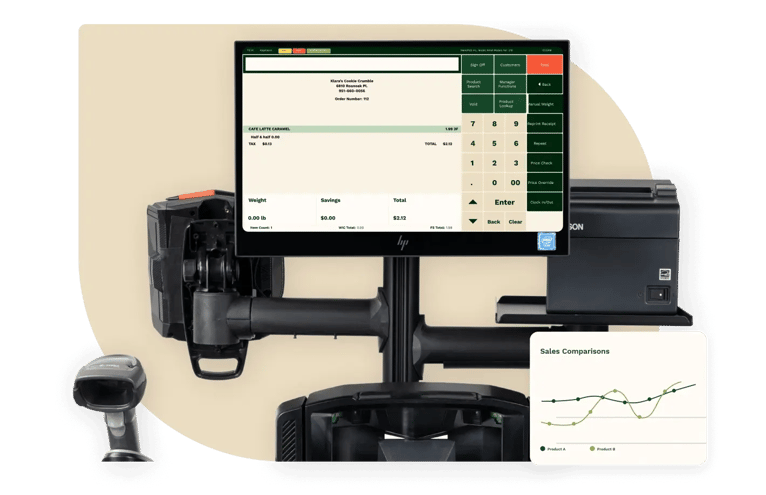
Markt POS vs. Clover:
Feature comparison

Get the full scoop on how Markt POS pricing, features, and support stack up against Clover's offerings.

* Please contact us if this page contains inaccuracies or needs an update.

Clover
Markt POS
Features
Grocery self-checkout

Self-checkout lets customers scan, bag, and pay independently, reducing the number of staffed lanes needed during peak hours.

No
Yes
Cloud-based system

You should be able to check sales and update prices from your couch at 10 pm. Cloud-based means you're not chained to the back office.

Yes
Yes
No long-term contracts

Contract length determines how much flexibility you have if your needs change or the system isn't the right fit.

No
Yes
Free inventory import & setup

Switching POS systems means migrating your entire product catalog: departments, pricing, PLU codes, and scale items. How that migration gets handled varies by provider.

No
Yes
App store integration

Some POS systems extend functionality through an app marketplace, while others build features directly into the core software.

Yes
No
Low stock alerts

Empty shelves cost you sales. The right alerts tell you what's running low before your customers notice.

Yes
Yes
Advanced reporting

POS reporting tools track sales performance, inventory movement, employee metrics, and margins across your operation.

Yes
Yes
Unilimited SKUs

Markets sell items by weight, by unit, and by barcode across multiple departments. Product management tools organize and maintain that catalog, keeping it accurate.

Yes
Yes
Grocery e-commerce

Grocery e-commerce lets customers browse your inventory, place orders online, and choose pickup or delivery options.

No
Yes
Dual pricing

Dual pricing displays separate cash and card prices at checkout, giving customers a visible incentive to pay with cash and reducing your processing costs.

No
Yes
Mobile POS

Mobile POS devices let you process transactions away from a fixed register, whether that's on the sales floor, curbside, or at a farmers market.

Yes
No
Wholesaler integration

Wholesaler integration connects your POS directly to your distributors, automatically pulling in price updates, suggested order quantities, and promotional deals.

No
Yes
Deli scale integration

Scale integration connects your deli and checkout scales directly to your POS so weigh-priced items ring up accurately without manual entry.

Yes
Yes
Label printing

Label printing generates shelf tags and product labels with pricing, PLU codes, weight, and expiration dates directly from your POS.

Yes
Yes
Built-in customer loyalty

A loyalty program rewards repeat customers with points, discounts, or special offers, helping increase return visits and average basket size.

Yes
Yes
eWIC integration

eWIC (electronic Women, Infants, and Children) is a government benefits program. POS integration lets you accept eWIC payments directly at checkout.

No
Yes
Age verification

Age verification prompts cashiers to check ID before completing sales of age-restricted items like alcohol and tobacco.

Yes
Yes
Shrinkage management

Shrinkage covers inventory loss from spoilage, theft, and checkout errors. Management tools help you identify where losses are happening.

Yes
Yes
Employee management

Employee management tools handle scheduling, time tracking, role-based permissions, and performance reporting for your staff.

Yes
Yes
QSR features

Quick-service restaurant (QSR) features handle deli and hot bar orders with kitchen display routing, order tickets, and modifiers.

Yes
Yes
Clover
Markt POS
Features
Grocery self-checkout

Self-checkout lets customers scan, bag, and pay independently, reducing the number of staffed lanes needed during peak hours.

No
Yes
Cloud-based system

You should be able to check sales and update prices from your couch at 10 pm. Cloud-based means you're not chained to the back office.

Yes
Yes
No long-term contracts

Contract length determines how much flexibility you have if your needs change or the system isn't the right fit.

No
Yes
Free inventory import & setup

Switching POS systems means migrating your entire product catalog: departments, pricing, PLU codes, and scale items. How that migration gets handled varies by provider.

No
Yes
App store integration

Some POS systems extend functionality through an app marketplace, while others build features directly into the core software.

Yes
No
Low stock alerts

Empty shelves cost you sales. The right alerts tell you what's running low before your customers notice.

Yes
Yes
Advanced reporting

POS reporting tools track sales performance, inventory movement, employee metrics, and margins across your operation.

Yes
Yes
Unilimited SKUs

Markets sell items by weight, by unit, and by barcode across multiple departments. Product management tools organize and maintain that catalog, keeping it accurate.

Yes
Yes
Grocery e-commerce

Grocery e-commerce lets customers browse your inventory, place orders online, and choose pickup or delivery options.

No
Yes
Dual pricing

Dual pricing displays separate cash and card prices at checkout, giving customers a visible incentive to pay with cash and reducing your processing costs.

No
Yes
Mobile POS

Mobile POS devices let you process transactions away from a fixed register, whether that's on the sales floor, curbside, or at a farmers market.

Yes
No
Wholesaler integration

Wholesaler integration connects your POS directly to your distributors, automatically pulling in price updates, suggested order quantities, and promotional deals.

No
Yes
Deli scale integration

Scale integration connects your deli and checkout scales directly to your POS so weigh-priced items ring up accurately without manual entry.

Yes
Yes
Label printing

Label printing generates shelf tags and product labels with pricing, PLU codes, weight, and expiration dates directly from your POS.

Yes
Yes
Built-in customer loyalty

A loyalty program rewards repeat customers with points, discounts, or special offers, helping increase return visits and average basket size.

Yes
Yes
eWIC integration

eWIC (electronic Women, Infants, and Children) is a government benefits program. POS integration lets you accept eWIC payments directly at checkout.

No
Yes
Age verification

Age verification prompts cashiers to check ID before completing sales of age-restricted items like alcohol and tobacco.

Yes
Yes
Shrinkage management

Shrinkage covers inventory loss from spoilage, theft, and checkout errors. Management tools help you identify where losses are happening.

Yes
Yes
Employee management

Employee management tools handle scheduling, time tracking, role-based permissions, and performance reporting for your staff.

Yes
Yes
QSR features

Quick-service restaurant (QSR) features handle deli and hot bar orders with kitchen display routing, order tickets, and modifiers.

Yes
Yes

What do market owners say?

Hear from real store owners who use both systems.

Clover

Clover currently has a 2.4 rating on Trustpilot, and a 3.8 rating on Capterra.

Clover's reviews skew toward restaurant and general retail — you won't find a lot of grocery or specialty market feedback. Owners who do use Clover for market-type businesses generally note that the hardware looks great and basic transactions are smooth. But the recurring themes for market owners are familiar: high processing costs on thin margins, limited flexibility for weight-based pricing, and a support experience that depends entirely on which reseller you bought from.

Contract lock-in (36 months) and unexpected fee increases are the most common complaints across all verticals.

Markt POS

Markt POS currently has a 5.0 rating on Google, based on 60 reviews.

Markt POS has a growing presence among independent market owners — particularly international markets, butcher shops, and specialty grocers. Owners consistently highlight the grocery-specific toolset (scales, EBT, inventory by department) and the included support as reasons they switched from generic systems.

Markt POS vs. Clover Comparison

Clover logo
marketPOS-logo

Cloud-Based System

Yes
Yes

Integrated Payment Processing

Yes
Yes

Integrated EBT Support

No
Yes

Integrated Scanner Scales

No
Yes

Self-Checkout

No
Yes

Inventory Management
for Fresh Food

No
Yes

Dual Pricing

Yes
Yes

Unlimited SKUs

No
Yes

CSV Imports

Yes
Yes

Grocery E-Commerce

No
Yes

No Long-Term Contracts

No
Yes

Free Inventory Import & Setup

No
Yes

Dedicated Customer Success & Technical Support Representative

No
Yes

Free Training Resources

Yes
Yes

Onboarding & support

Switching POS systems can be a tough process, but the right onboarding and support make it easier on you, your staff, and customers.

Support_comparison_clover

Clover

Clover provides online resources, phone support, and a help center — but your day-to-day experience often depends on the reseller who sold you the system.

For market owners with specialized needs (scale configuration, EBT workflows, department-specific inventory), this can mean getting bounced between Clover support and your reseller without a clear resolution.

Setup is largely self-directed. You'll configure your products, import inventory, and set up departments yourself through the Clover dashboard.

Markt POS

Markt POS provides dedicated onboarding — we import your inventory, configure your departments, set up scale integration, and help train your staff. Support is 24/7 by phone, handled in-house (not through resellers).

For market owners, this matters more than it sounds. Configuring a system to handle produce by weight, deli items by count, and packaged goods by barcode — across multiple departments with different margin profiles — isn't something you want to figure out on your own through a help article.

Unlimited training is included on all plans, which helps when you're hiring seasonal staff or onboarding new cashiers who've never used a scale at checkout.

Onsite hardware installation is available as a paid add-on. Comprehensive video tutorials and training materials are also available.


Support_Markt_POS

Which POS system makes sense for your market?

Clover and Markt POS serve different types of businesses — even if both can technically ring up groceries.

Clover makes sense if you:

  • Want a well-known brand with modern, polished hardware

  • Run a store that blends retail categories — some groceries, some prepared food, some general merchandise

  • Prefer adding features through an app marketplace as your needs evolve

  • Accept mainly card-based transactions

Markt POS makes sense if you:

  • Run a neighborhood market, international grocer, butcher shop, fish market, co-op, or specialty food store

  • Need scale integration, EBT, and by-weight pricing working on day one — not through third-party apps

  • Want a system that understands perishable inventory, department-level reporting, and the daily rhythm of a market

  • Value included onboarding, unlimited training, and direct 24/7 support over a DIY setup process


Want to see the difference?

You've read the features. You've seen the pricing. But the only way to know if a POS actually works for your store is to see it handle your products, your workflow, and your day-to-day.

Frequently asked questions

Does Clover work for grocery stores and markets?

Clover can process grocery transactions, but it wasn't designed for market-specific workflows.

Features like scale integration, by-weight pricing, and self-checkout aren't part of the core system — they require third-party apps or workarounds. Grocery e-commerce and wholesaler connections aren't available natively. Dual pricing requires a third-party app for automation.

Markt POS was built from the ground up for independent markets, with scale integration, EBT, label printing, and department-level inventory included on all plans.

Does Clover accept EBT and eWIC?

Clover supports EBT processing, but the experience varies by reseller and plan configuration. eWIC support is limited and may require additional setup.

Markt POS includes EBT food and cash acceptance on all plans — no tier upgrade or additional setup required. eWIC support is also available, which is important for markets that regularly serve WIC customers.

How much does Markt POS cost compared to Clover?

Clover hardware runs $199 (Clover Go) to $3,499 (Kiosk), with software from $0–$84.95/month. Most market owners need the Growth plan at $84.95/month for inventory and loyalty features, and a 36-month processing contract is required.

Markt POS starts at $49/month (software-only), with hardware bundles included on Growth and Premium plans. No long-term contracts, and a 30-day money-back guarantee.

Can I use my own hardware with Clover or Markt POS?

Clover requires proprietary hardware — you can't bring your own, and the hardware doesn't transfer if you switch providers.

Markt POS' Starter plan is software-only, letting you use compatible hardware you already own. Growth and Premium plans include hardware bundles with a 2-year warranty.

Does Markt POS have self-checkout?

Yes. Markt POS includes built-in self-checkout designed for market environments, where one associate can manage 4–6 self-checkout lanes.

Clover does not offer native self-checkout for grocery or market stores. The Clover Kiosk is restaurant-focused, and any grocery self-checkout setup would require a third-party app.

Which system handles by-weight items and scale integration better?

Markt POS includes native scale integration with CAS and Zebra scales — sell-by-weight pricing is built directly into the register workflow. This is essential for butcher shops, fish counters, and produce departments.

Clover can connect to scales through third-party apps, but it's not a native feature and may require additional setup and troubleshooting.



